Turn any stream into a broadcast.
Football Score Pro is a self-hosted scoreboard, clock, stats and lineup graphics suite. It runs on your own computer and feeds OBS a live, transparent overlay — score, clock, formations, substitutions, and full-screen graphics, all driven from one control panel.
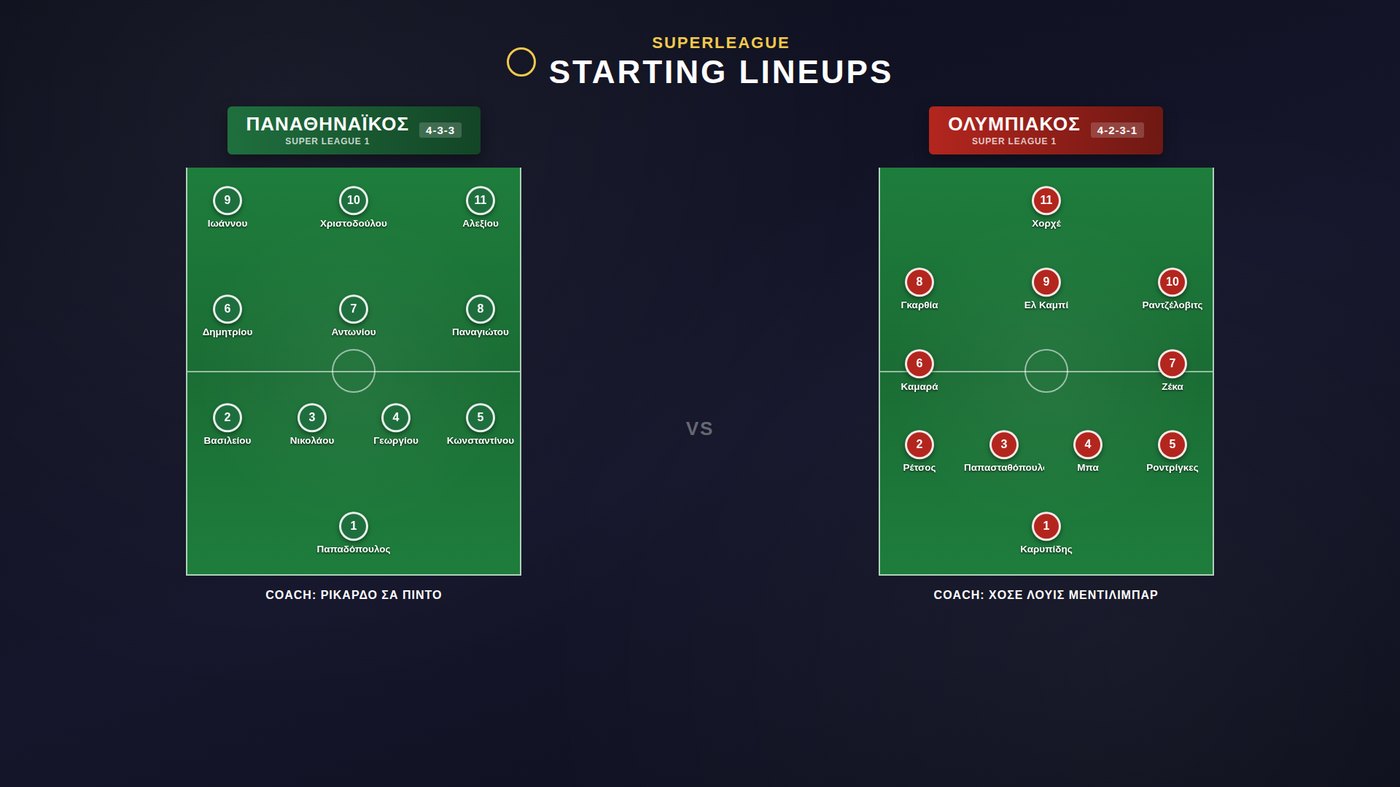
Two pages. One live feed.
Everything you type into the Control Panel appears on the Overlay in a fraction of a second — no refresh, no second click.
The Control Panel is where you work — score, clock, stats, lineups, substitutions and every setting, in your browser, on your own machine.
The Overlay is what OBS reads — a transparent page you drop in as a Browser Source, so graphics float over your camera or scene with no background box around them.
Autosave keeps every score, roster and style choice on disk, so the app reopens exactly where you left it — ready for the next matchday too.
Built for matchday, start to finish
Every graphic a broadcast needs, controlled live, styled your way.
Score & match clock
Live score and a running clock that never freezes on its own — plus a separate injury-time badge that can't shift the main clock's position.
Match stats
Possession, shots, shots on target, corners and fouls per team — shown one at a time, in any combination, or all together full-screen.
Starting XI & formations
Full lineups with crests, numbers and player photos, in real formation shapes — one team at a time, or both side by side before kickoff.
Substitutions ticker
The three most recent changes on screen at all times, with clear on/off markers, updated the instant you log them.
Team database
Build a full squad once — roster, photos, coach — and load it into any future fixture in a couple of clicks. No retyping, ever.
Total customization
Fonts, sizing, colors, and a solid, transparent or patterned background for every card — adjusted live, with the result visible on the overlay as you go.
Pixel-level positioning
Nudge any graphic — the score bar, the corner panel, the substitutions ticker — exactly where your layout needs it, in pixels.
Bilingual, EL / EN
Switch the whole interface and overlay labels between Greek and English instantly. Your own team and player names are never touched.
Runs on your machine
No account, no cloud dependency, no per-stream fee. Your rosters, photos and settings stay in a folder you control.
What it looks like on stream
Real graphics from the real app — composited here over a broadcast background so you can see them the way your viewers would.
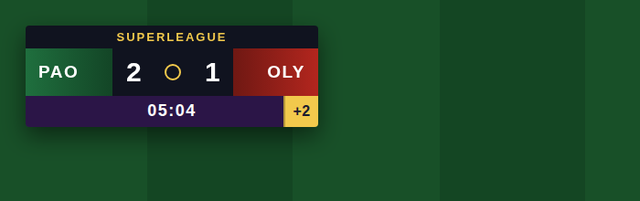
Score, clock & competition banner
Team names, crests and colors, the live score, and a clock that keeps counting no matter what the added-time badge shows.
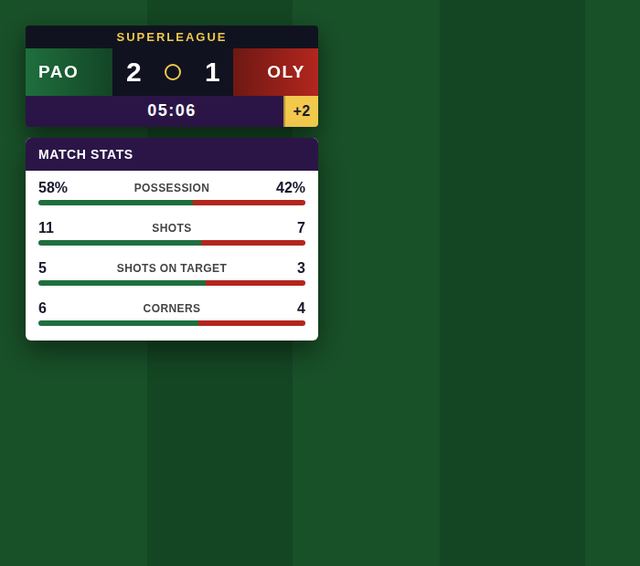
Choose exactly what's on screen
Pick one stat, a handful, or all five — possession, shots, shots on target, corners, fouls — for the small corner card.
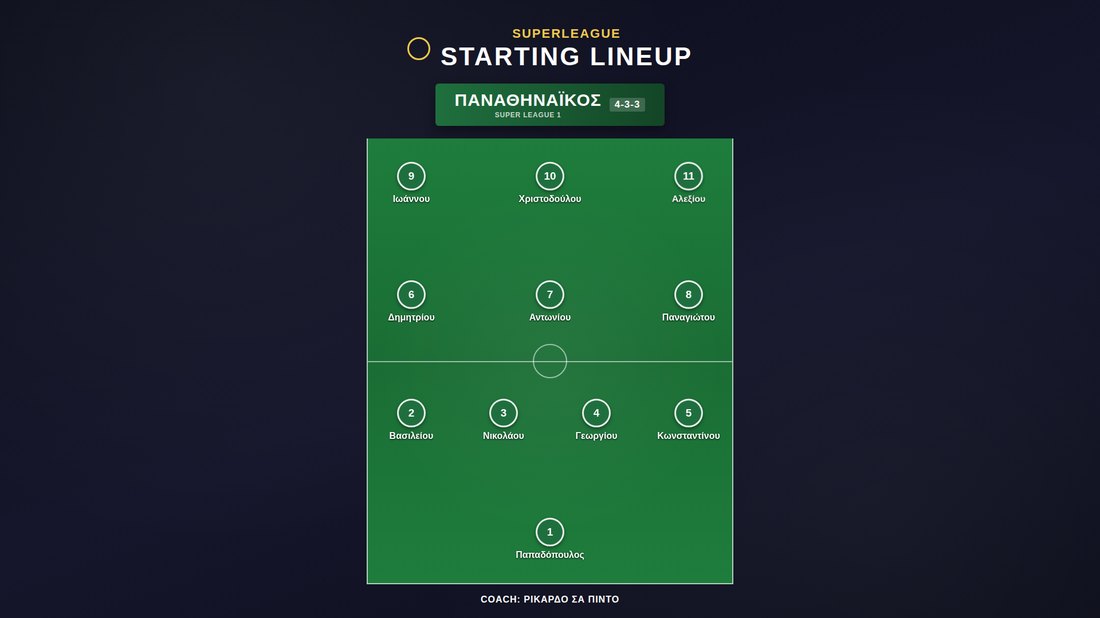
Broadcast-style team sheets
One team at a time, large, with room for every player photo — the graphic channels run before kickoff.
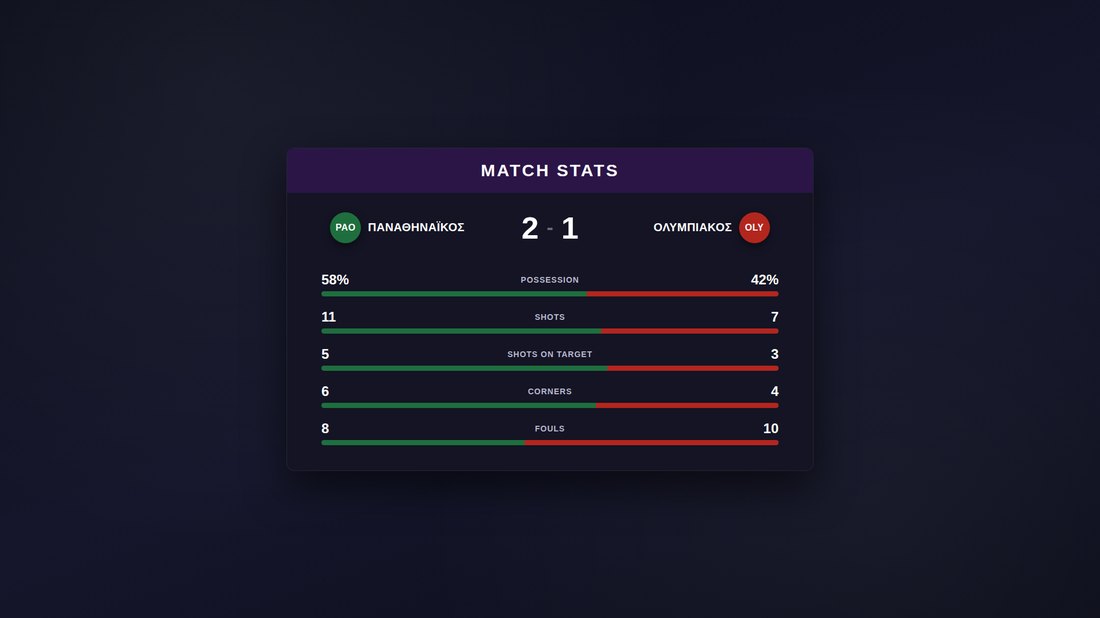
Half-time, done properly
A full analytical stats card, with a title that switches itself between "Half-Time" and "Full-Time" stats automatically.
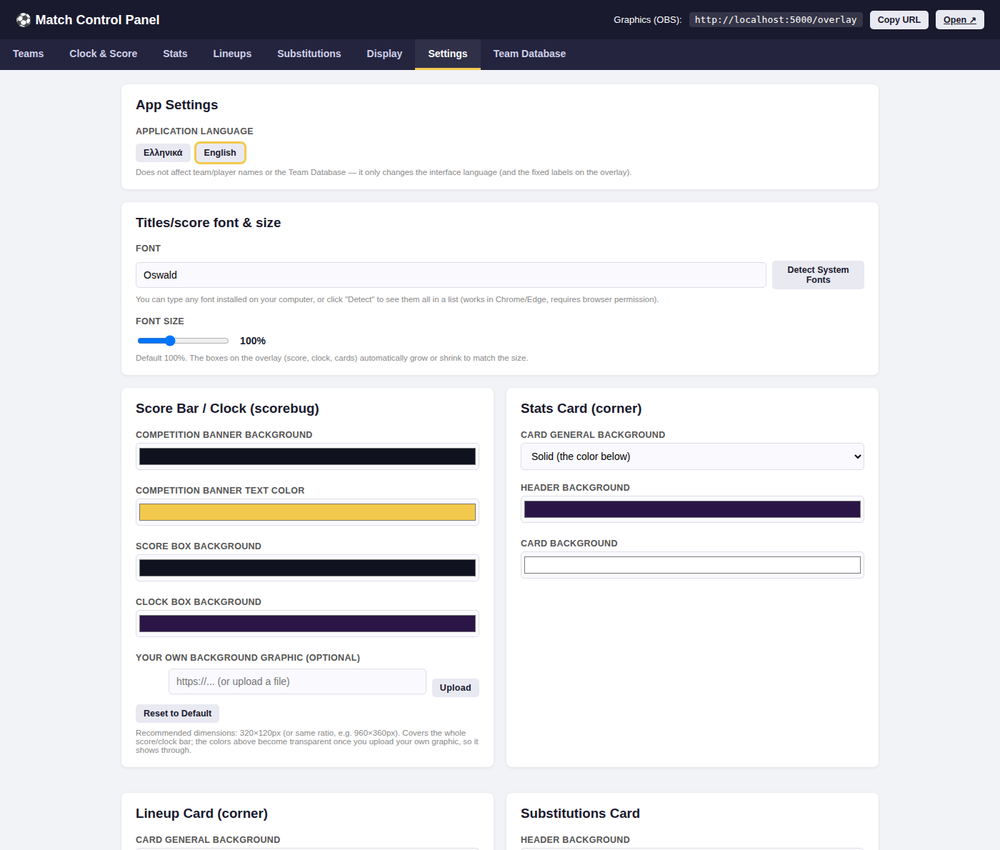
Make it look like your broadcast
Font, size, per-card color, background style and exact on-screen position — every change previewed on the overlay in real time.
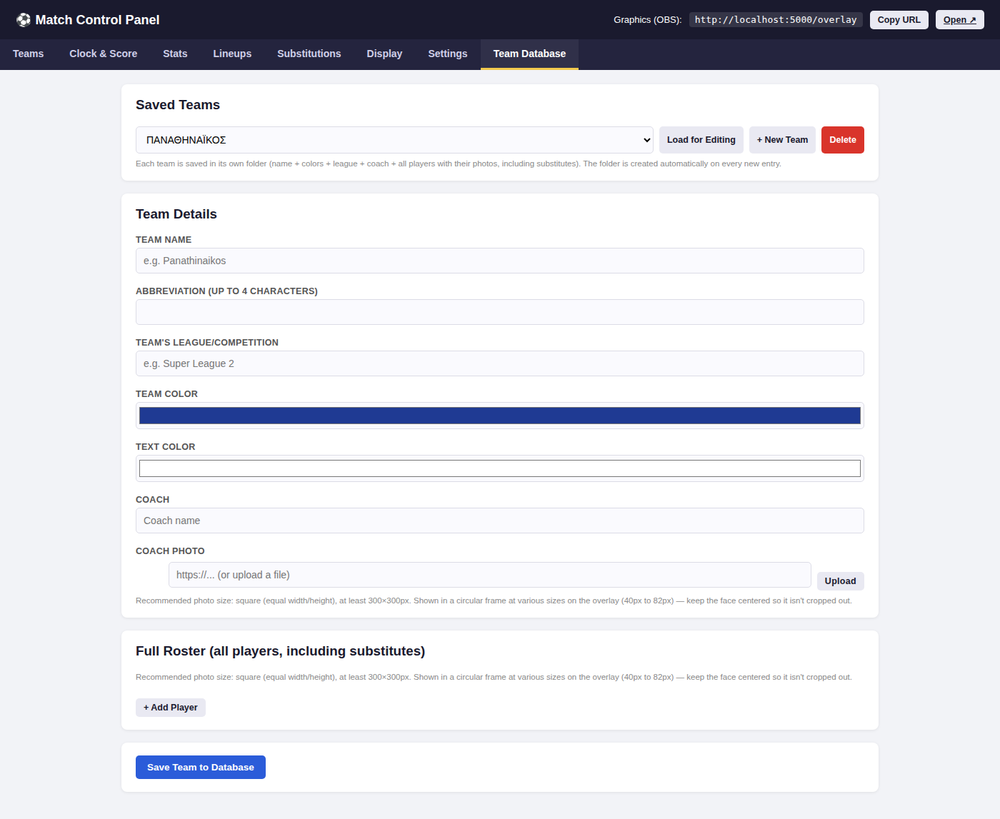
Set a team up once
Save a club's full roster, photos and coach today — load the whole thing into any future match in one click.
Live in three steps
Run it locally
Double-click to start on Windows, or run one script on Mac and Linux. Python and Flask handle the rest — no install wizard.
Add it to OBS
Paste the overlay address into a Browser Source. Its transparent background sits right over your camera or scene.
Run the match live
Drive score, clock, stats and graphics from your laptop — or your phone, over the same WiFi network.
One app. One price. Every match.
A single one-time purchase — use it for as many teams, leagues and matchdays as you like.
- Full Control Panel + Overlay app
- All graphics: score, clock, stats, lineups, subs
- Team database & unlimited teams
- Full styling & positioning controls
- Greek & English interface
- Full Control Panel + Overlay app
- All graphics: score, clock, stats, lineups, subs
- Team database & unlimited teams
- Full styling & positioning controls
- Greek & English interface
Gumroad emails your download link automatically the moment payment clears — no need to wait for a reply.
Payment is handled securely — you don't need an existing PayPal or Gumroad account, a card works too either way.
Frequently asked questions
Do I need an OBS Studio account or license?
No. Football Score Pro just outputs a normal web page; OBS's free Browser Source displays it like any site. Football Score Pro is an independent, third-party tool and isn't affiliated with or endorsed by the OBS Project.
Does it need an internet connection during the match?
No — the app itself runs entirely on your computer. It only reaches out to load its on-screen fonts, and even that falls back gracefully if you're offline.
Can I control it from my phone or tablet?
Yes. As long as the device is on the same WiFi network as the computer running the app, the Control Panel works from any browser.
Can I change the colors, fonts or where graphics sit on screen?
Every card — score bar, stats, lineups, substitutions, full-screen graphics — has its own colors, background style and precise on-screen position, all previewed live as you adjust them.
Is this a subscription?
No — it's a one-time purchase. Use it for as many matches, seasons and teams as you like, with no recurring fee.
How do I actually get the app after I pay?
If you pay with Gumroad, your download link is emailed to you automatically. If you pay with PayPal, forward your payment receipt to flow.cf@gmail.com and we'll reply with your download link directly — usually the same day.
What do I need to run it?
A Windows, Mac or Linux computer with Python 3.9+, and OBS Studio (or any software that supports a Browser Source) to display the overlay.
What version am I buying?
Version 1.0 — the current release, with every feature listed on this page. Future updates and how they're handled will be announced by email to buyers.
Questions before kickoff?
Payment options, feature questions, anything else — we read every message.
Sending opens your email app with the message pre-filled. Prefer to write directly? flow.cf@gmail.com